Location Pages SEO: How Service Area Businesses Rank in Every Town They Serve
Location pages SEO helps you rank in every town you serve with real area pages, not city-swap copies.

Location pages SEO is how a service area business ranks in the towns it travels to: you build a genuine page for each area you actually serve, after your service pages are in place. It is not the same job as multi-location SEO, where each shop has its own street address. This post is about the towns you drive to.
Most sites either skip those pages or stamp out copies that only change the town name. Neither gets you ranked in a new suburb for long.
This is for business owners planning their own site, and for freelancers and agencies rolling the same plan out for clients.
What are location pages in SEO, and does a service area business need them?
A location page is a page built for a specific town you serve, either a physical branch or a place you travel to. A service area business needs them to rank beyond its base, but only for areas it genuinely serves.
People use "location page" and "service area page" as if they were the same thing. A location page can mean a page for a real shop people visit. A service area page is for a town you travel to, with no storefront there. Google calls that a service-area business: one that "visits or delivers to customers directly, but doesn't serve customers at its business address," like a plumber or a pet walker.
You need those pages if you want to rank for a query like "tree removal in Cedar Park" when your depot sits in another suburb. You do not need a page for a town you never work in. Fake coverage is how city-list pages get built, and it wastes the crawl.
Should you build service pages or location pages first?
After research, sit with the owner and map the real services and every way people search for them. Then build those service pages first; there is no fixed number you must hit before the first area page.
The session after the keyword research is the bit most people skip. I sit down with the owner in onboarding, then use the Fathom recording to pull out the services they actually provide. Owners often miss that one service is searched many ways. A plumber is not only "plumbing." People look for water heater installation, pipe leak detection, and a dozen other jobs that each deserve their own page.
Once that list is clear, the service pages come first. They are the money pages. For how to build them, use the service page structure we already walked through. This post will not repeat those steps. Area pages come after that discovery, in the order the demand and the owner's real coverage suggest, not after some made-up quota of service URLs.
How many location pages should you create?
Create a page only for areas you actually serve, and let nearby small towns share one page when they search the same way. There is no tool-volume minimum: if the owner knows people there look for the work, try the page.
Prioritize the towns where you already get work, then the ones people search from. Search Console impressions for town-plus-service queries help you see demand. So do volume estimates from Ahrefs, Semrush or DataForSEO.
I do not treat those estimates as absolute truth. They are guesses, not a census. If the client knows people in that area look for the service, that is enough to try the page. Don't complicate things with a cutoff like "skip it under 50 searches a month."
Nearby hamlets that share a search pattern can live on one area page. You do not need a URL for every sign on the highway.
What goes on a location page that actually ranks?
A ranking location page names the town in the H1, then covers the services you offer there, local proof, how you cover the area, and a clear next step. Shared sections are fine; the local parts have to be written for that place.
Here is the layout I use. The examples are the kind of local detail to write, not a template to copy.
| Section | What it does | Example of local detail | Can it be shared across pages? |
|---|---|---|---|
| Local H1 | Names the service and the town so the page matches the query | Tree removal in Cedar Park | No. The town name is unique to that page. |
| Local intro | Ties the service to how you deliver it in that area | How older street trees or summer storms change the work in Cedar Park | No. The intro has to join a local fact to the service. |
| Services offered in that area | Lists only what you actually do there | Residential tree removal and stump grinding; no commercial lots if you do not take them | Partly. The offer can be similar if the work is the same. |
| Local proof | Shows jobs or reviews from that town | A review from a Cedar Park customer, or a photo from a job there | No. Proof from another suburb does not make this page local. |
| Coverage and response time | Sets expectations for how you reach the area | Typical drive from your depot and the same-day window you can keep for that suburb | No. Drive time changes by town. |
| Local FAQ | Answers questions people in that area actually ask | Access notes, permit rules, or HOA limits that apply there | No. The questions differ from town to town. |
| CTA | Gives one next step | Book a Cedar Park quote, or call | The action can be shared. The town name on the button should match the page. |
Write each of those local rows fresh. Do not copy a competitor's page and swap the town. Shared bits (your process, your guarantee, your company story) can repeat. The local half is the part that has to change.
How different does each location page need to be?
Each page needs enough unique local detail that it could not pass for another town with the name swapped. Our reviews put the working bar at around half the content, or more, being genuinely local.
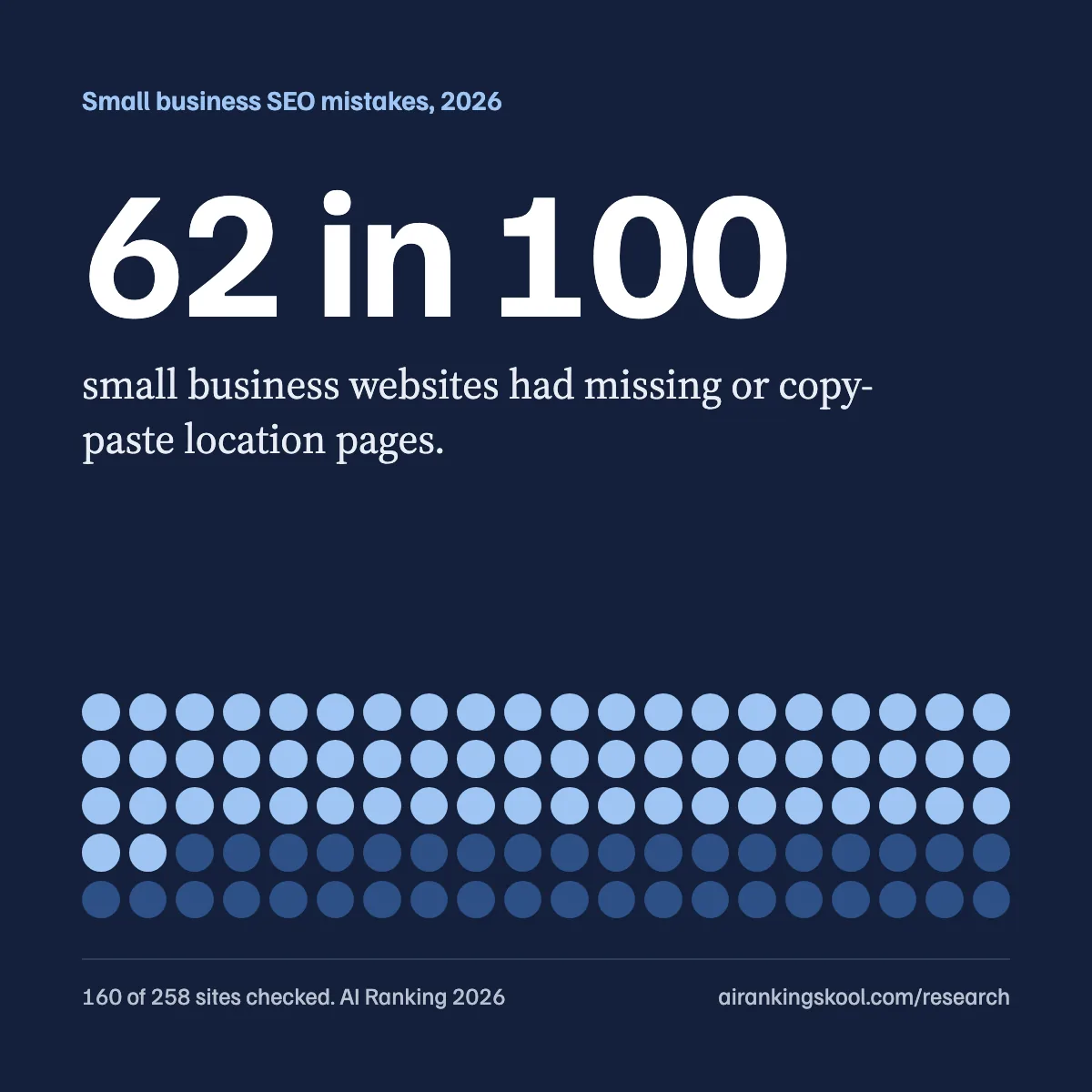
In our review of 258 local business sites, 62% (160 of 258) had missing or near-duplicate location pages. Among local service businesses the rate was 75%. The two mistakes sit at opposite ends: no page at all for the areas you serve, or dozens of near-identical pages where only the town name changed.
The worst pattern I run into is an area page that only dumps suburb population stats and never joins them to the service. A tree removal page that recites how many people live there, and never explains how that changes the work, is nonsense content. The fix is local facts tied to how you deliver the service in that area: access, tree cover, response time, jobs and reviews from that town.
Google's spam policies treat doorway abuse as pages created to rank for similar queries, including "Having multiple domain names or pages targeted at specific regions or cities that funnel users to one page" and "Creating substantially similar pages that are closer to search results than a clearly defined, browseable hierarchy." The same page flags keyword stuffing as "Blocks of text that list cities and regions that a web page is trying to rank for." A page that exists to funnel everyone to one contact form, or a footer that lists 80 suburbs, is the pattern those lines describe.
When should you build service plus town pages (hyper-local pages)?
When competition is really high, one page per town may not be enough. Then you build a page for each service in each town: "hot water installation in Fitzroy," not just "plumbing in Fitzroy."
What I look at before going that far is a mix, and it can change: keyword difficulty, how thoroughly competitors have taken over (especially heavy backlink counts), and whether they have a solid website structure that shows they take SEO seriously.
Steven B. Marks is the worked example inside our community. His client's financial, YMYL niche made the market competitive enough to go hyper-local. He did not dump the pages in one go. He rolled them out slowly, around 40 pages a month or even less, and the research had to live in each city page.
The published result: 1,100+ city service pages indexed in 150 days, 99 booked appointments a month, 100% organic. No ads. The full write-up is the case study on those 99 monthly organic leads.
Mind you, that is a lot of work. Most service area businesses never need that many URLs. If competitors only run service pages and a handful of area pages, stay at one page per area and make those pages good.
How should you structure and interlink location pages?
Build an "areas we serve" hub, one page per area, and link service pages to the towns they are offered in and back again. Cross-link nearby areas, and keep your Google Business Profile service areas in line with the pages you publish.
Think of a hub in the middle, with spokes out to each town page. Each service page should point to the areas where that service is offered, and each area page should point back to those services. Nearby towns can link to each other so a visitor (and Google) can move across the coverage map without going home first.

Keep the Business Profile in step with that map. Google lets you set up to 20 service areas by city, postal code, or another area, and says the overall boundary should not be more than about two hours of driving from where the business is based. If a town is on the website, it should be a real service area on the profile too (and the other way around).
If you want a head start on the service URLs that sit next to these area pages, use the free local service page generator.
If you've got hundreds of pages to consider, we built a free repo that helps with internal links.
Do location pages help you show up in AI search?
They can, because Google's AI features pull supporting links from the same indexed pages that already qualify for Search. There is no separate AI version of a location page, and no extra file or schema that makes one appear.
Google's AI features guide says a page must be "indexed and eligible to be shown in Google Search with a snippet" to appear as a supporting link in AI Overviews or AI Mode, and that "There are no additional technical requirements." It also says you do not need new machine-readable files, AI text files, or special markup. The useful habits are the ordinary ones: make the page easy to find through internal links, and keep the important content in text.
Our reasoning, not a Google promise: AI answers draw on the same clear, specific local pages you would write to rank. A city-swap page gives an AI system nothing extra to cite. There is no timeline I can honestly attach to "showing up in AI search." For the wider local picture, see Local SEO for AI search and Google AI Overviews.
How do you check if your location pages are working?
Open Search Console, filter by one area page, and look at the town queries it earns. Compare impressions with clicks, and confirm the URL is indexed. Do this one page at a time so you can see whether that town is actually being searched, rather than reading a sitewide average that hides the duds.
Then run a DataWise audit on that same URL. DataWise checks an individual page. It does not do bulk audits of a whole set of area pages, so do not treat a homepage score as a verdict on every town URL.
Results typically take 7 days to 3 months depending on the niche. There is no switch that makes a new area page rank on Tuesday.
The one idea to take away: rank in the towns you serve with real pages, written for how you do the work there, not with a city name pasted onto the same copy.
If you want a second pair of eyes, bring a few area pages to a website review inside AI Ranking Premium. We will go through what is unique, what is thin, and what to fix first. Not ready for that? Start with the free AI Search Kickstarter.
Cheers,
Nico