Claude SEO
Learn to run your own SEO with Claude: connect it to real search data, do keyword research, run audits and install the skills and agents we use on this site. For business owners, marketers and SEOs who want leverage, not shortcuts.
What is Claude SEO?
Claude SEO is the practice of using Anthropic's Claude, in chat, in the Claude Desktop app, or through Claude Code, to do real SEO work: keyword research, site audits, content writing, local SEO and reporting, powered by your own search data.
The key word is your own data. A plain chatbot answers SEO questions from memory and guesses the rest. Claude connected to your Google Search Console, your analytics and live keyword data works from the same numbers you do. Used that way, it is an extension of what you know, not a replacement for knowing it.
This page is the hub. It covers what Claude can genuinely do for SEO, the four ways to run it, the data connections that make it work, and where humans must stay in the loop, with a full guide linked for every step.
Can Claude actually do SEO?
Yes. Claude can run keyword research, technical audits, content briefs and local SEO reporting at the level of a good agency, but only when you give it the right context: your business, your data and your experience. Without that context, it produces confident guesses.
This is not theory for us. We run this entire site on the approach: our four Claude Code SEO systems handle keyword research, content production, auditing and reporting, and they are the engine behind our own growth.
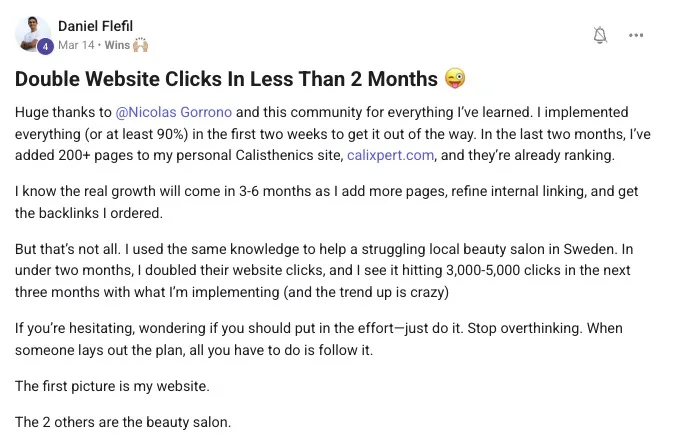
It works for members too. Alan, inside our community, used this exact data-first approach to get his clients ranked for their service keywords inside Google AI Overviews, the new front page of search.
What you will learn about Claude SEO
This hub teaches you to do six concrete jobs with Claude, in order: connect it to your real SEO data, do keyword research, run an SEO audit, install SEO skills, build an agent team, and review what it produces before it ships. Each step below has a free guide, and the full hands-on version is our Claude SEO course.
From a blank chat to Claude running your SEO
- Connect Claude to real SEO data: Search Console, GA4, Business Profile and live keyword data over MCP
- Do keyword research with Claude using real volumes and SERPs, not guesses
- Run an SEO audit with Claude and turn it into a prioritized fix list
- Install Claude SEO skills so every job runs the same way every time
- Build an SEO agent team that handles the recurring work
- Review like an expert: bring agent output to live calls before you publish
What are the four ways to run Claude for SEO?
There are four ways to run Claude for SEO: the claude.ai chat, the Claude Desktop app with connectors, Claude Code, and skills with agents layered on top. Each fits a different kind of SEO work, and you can mix them freely.
| How you run Claude | What it is | Best for |
|---|---|---|
| claude.ai chat | The web and mobile chat everyone knows | Quick one-off tasks: title tags, rewrites, brainstorming keyword angles |
| Claude Desktop + connectors | The desktop app with one-click data connectors, artifacts and scheduled routines | Business owners who want reports and dashboards without touching a terminal |
| Claude Code | Anthropic's agentic tool that reads files, runs commands and works across your whole project | Full audits, building and fixing pages, automating recurring SEO work |
| Skills + agents | Folders of instructions and scripts Claude loads when a task needs them, plus specialist sub-agents | Packaging repeatable SEO workflows and running a coordinated SEO team |
Skills are the newest layer and the one moving fastest. Anthropic's own pitch for Claude Skills is that you build one once and use it across Claude apps, Claude Code and the API, which is exactly why we package our SEO workflows as skills instead of loose prompts.
How do you connect Claude to real SEO data?
You connect Claude to SEO data through MCP connectors: your Google Search Console performance, your Google Analytics 4 traffic, your Google Business Profile activity if you are local, and live keyword and SERP data. Connected to those four, Claude stops guessing and starts working from the same numbers you do.
The plumbing for this is the Model Context Protocol, an open standard for connecting AI applications to external systems. We keep a plain-English explainer in what is MCP, and a full walkthrough in how to connect Claude to your SEO data.
Our exact stack, from experience: DataForSEO is pay-as-you-go and about $5 a month covers more SEO data than most people will use. Windsor.ai bundles Search Console, GA4 and Business Profile into one connection for $20 a month, and while you can wire those up manually for free, Windsor makes it painless. We showed the result in making Claude our SEO mastermind.
- Pick where you run Claude. Claude Desktop if you want connectors with no terminal, Claude Code if you want full automation.
- Add a keyword data source. Connect the DataForSEO MCP server so Claude can pull search volumes, SERPs and backlinks.
- Add your own site data. Connect Search Console, GA4 and Business Profile, either through Windsor.ai or manually.
- Test it with a real question. Ask Claude which of your pages lost clicks last month and check its answer against Search Console.
Claude subscriptions run $20, $100 or $200 a month. For a single business owner doing their own SEO, $20 is usually enough; if SEO is a serious part of your week, the $100 tier is the one we recommend.
How do you do keyword research with Claude?
To do keyword research with Claude, connect it to a live keyword source like DataForSEO, give it a seed topic and your business context, and ask it to pull real search volumes, difficulty and SERPs, then group the results by intent into a keyword map. Without live data, Claude invents plausible looking numbers, so never skip the connection.
The workflow we teach has four passes: expand the seed into related and question keywords, filter out anything you cannot realistically rank for, check the live SERP to see what type of page Google rewards, and cluster what is left into pages so no two pages chase the same query. Claude does each pass in minutes; your job is to judge which keywords actually bring buyers.
For the method itself, see AI keyword research and the wider keyword research hub. If you want numbers without setting anything up, our free keyword research tool runs on the same data.
How do you run an SEO audit with Claude?
To run an SEO audit with Claude, point Claude Code at your site with an audit skill installed, let it crawl your pages and pull Lighthouse and Search Console data, then ask for the findings ranked by impact. The output is a prioritized fix list, and in Claude Code it can fix many of the issues for you.
A good Claude audit covers the same ground as a manual one: indexing, broken links, titles and meta, schema, Core Web Vitals and thin or overlapping content. The difference is speed and repeatability: the same skill runs the same checks every month, so you see what changed. Use our SEO audit checklist to judge whether Claude missed anything, and the SEO audit hub for the full method.
Which Claude SEO skills should you install?
Start with one skill set that covers audits, keyword research and content, then add your own skills for the jobs you repeat every week. Free open-source sets on GitHub are a good starting point, but every one of them is only as good as the data you connect it to.
We compare three free sets side by side, and show how to install them in claude.ai or Claude Code, in our guide to Claude SEO skills. Members also get the skill pack and agent team we run on this site, ready to install and adapt.
Can Claude help you rank in AI search?
Yes. The same Claude setup that fixes classic SEO also improves your visibility in AI engines like ChatGPT, Perplexity and Google AI Overviews. Claude can audit whether your pages answer questions directly, add schema, generate an llms.txt file, and track whether AI engines cite you.
This matters because a growing share of searches now end inside an AI answer. Optimizing for that is its own discipline, generative engine optimization, and Claude is the best assistant we have found for doing the work: it understands AI search behavior from the inside. Start with how to rank on ChatGPT to see the method.
Where do humans stay in the loop?
Nothing should publish itself. Think of Claude, even Opus 4.8 or Fable 5, as a very smart PhD student fresh out of university: technically brilliant, but short on the life lessons that come from actually doing the job.
You have to keep feeding it those lessons: what worked for your clients, what a real buyer in your market asks, the mistake you made last year that a fresh graduate would repeat. That experience is what turns competent output into content that ranks and gets cited. Leave the loop, and you get generic AI slop; stay in it, and every agent run compounds what you know.
Practically, that means every keyword map, every draft and every audit an agent produces gets a human review before it ships. The agents propose; you decide.
The Claude SEO playbook (guides in order)
Here is the path we recommend, each step with a full walkthrough:
- Turn Claude into your SEO assistant. The foundation: give Claude real-time SEO data. See the SEO assistant setup.
- Connect your data. Search Console, GA4, Business Profile and keyword data over MCP. See connecting Claude to SEO data.
- Build your dashboard. One live view of your SEO through Windsor.ai. See the SEO mastermind dashboard.
- Install the agent team. Specialist agents for research, audits, content and local SEO, run by one orchestrator. See the AI agents that run our business.
- Scale the workflows. Run agents in parallel with cmux and let the four systems handle the recurring work.
Want to learn all of this hands-on instead of piecing it together? The Claude SEO course walks through every step above with video setups, our skill pack and live reviews of your own work.
Learn Claude SEO hands-on
Courses, two live calls a week, templates and DataWise. Everything you need to go from reading about it to ranking with it.
How we teach Claude SEO
Step-by-step setup videos
Follow the exact DataForSEO and Windsor.ai setup from our tutorials until Claude runs your SEO stack end to end.
Our skills and agents, ready to install
Download the same SEO skill pack and agent team we use on this site, then adapt it to your business in the community.
Live reviews of your work
Bring what your agents produce to the live calls. We review it together before you publish, so you learn the judgment layer AI cannot give you.
DataWise for Claude SEO
Our in-house SEO tool helps you benchmark your site so Claude works from a clean audit baseline. It is included free with every paid membership, so you stop paying for five different tools.
See DataWise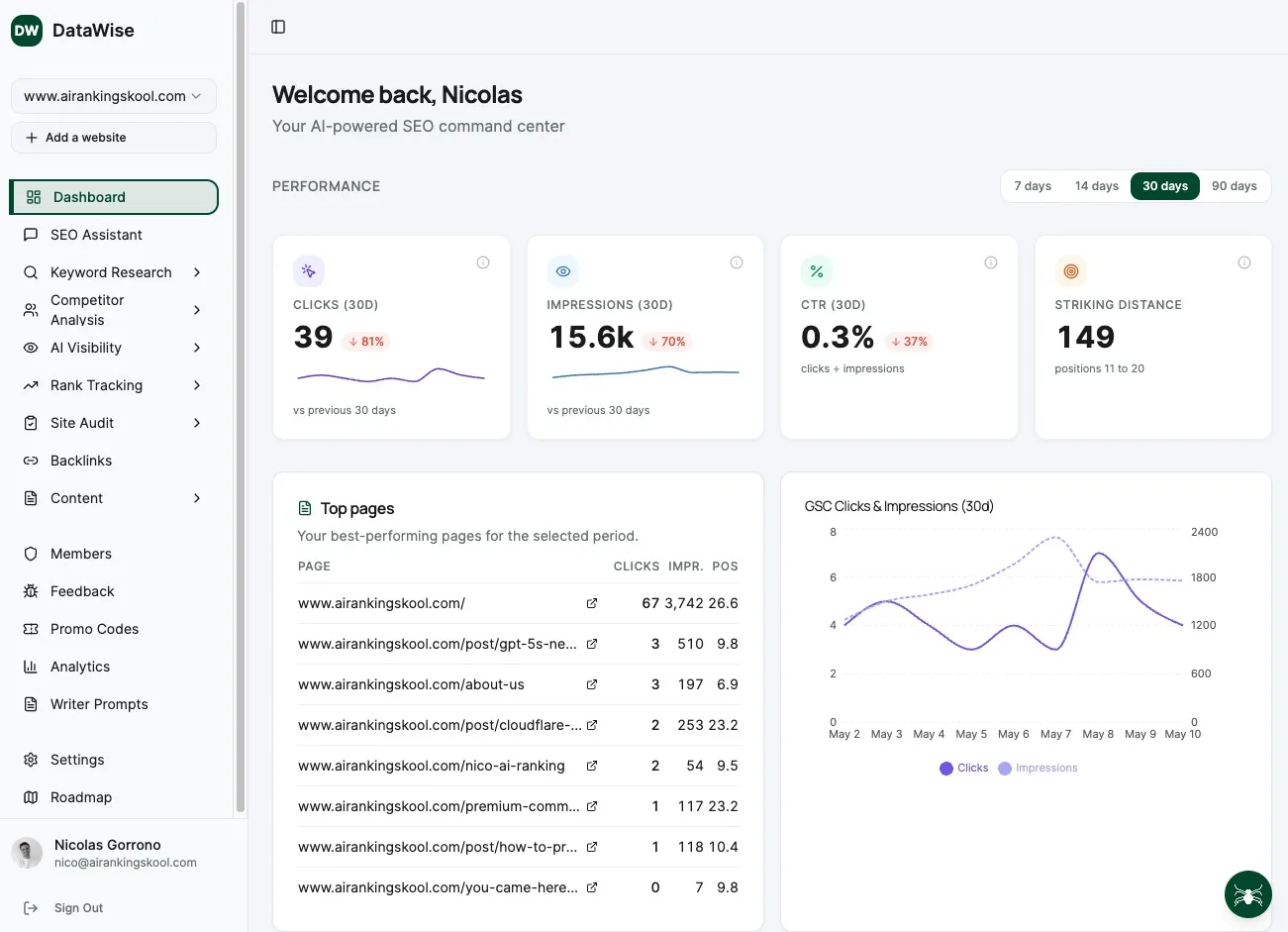
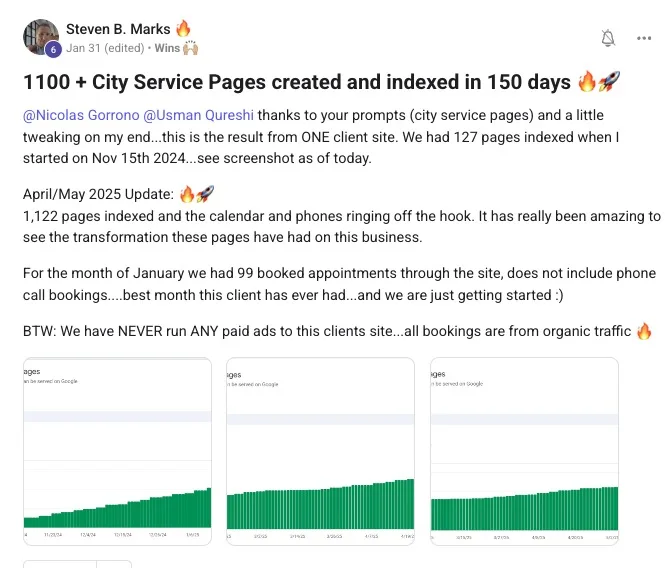
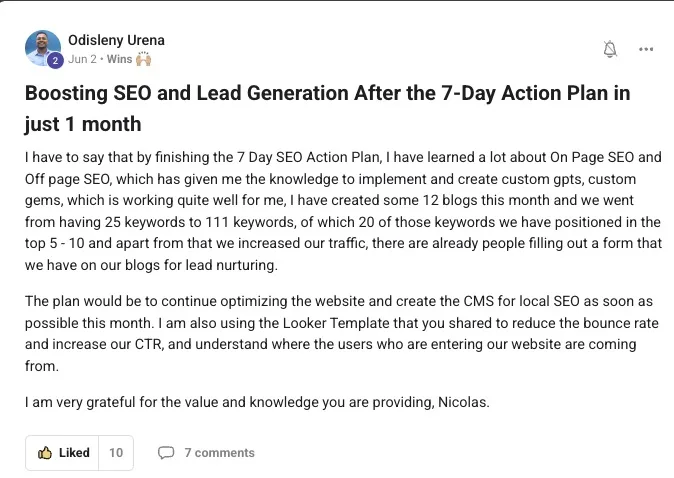
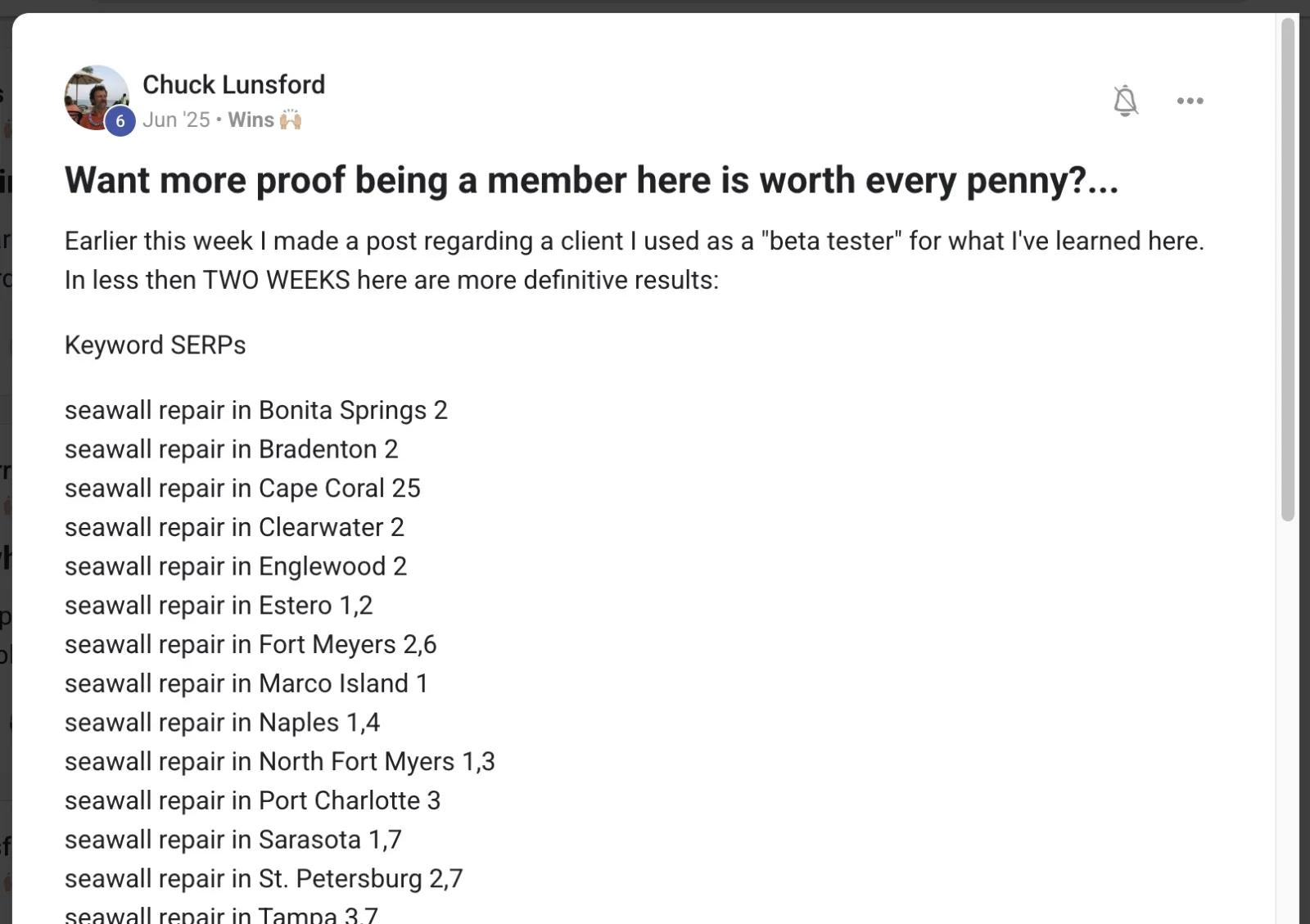
Claude SEO wins from real members
Claude SEO FAQ
Can Claude AI help with SEO?
Yes. Connected to your Search Console, analytics and live keyword data, Claude can run keyword research, technical audits, content briefs and local SEO reporting at agency level. Without those connections it can still help with one-off tasks, but it is guessing about your site.
How do I use Claude for SEO?
Start in the Claude Desktop app or Claude Code, connect your data (Search Console, GA4 and a keyword source like DataForSEO), and give Claude your business context. From there you can run audits, keyword maps and content workflows, reviewing everything before it ships.
Is there a Claude SEO course?
Yes. Our Claude SEO course teaches you to connect Claude to real SEO data, do keyword research and audits with it, install SEO skills and run an agent team, with live calls to review your work. There is no official Claude SEO certification from Anthropic or anyone else; the proof is your own rankings.
Which AI is best for SEO?
In our testing, Anthropic's newest Claude models (Fable 5 and Opus 4.8) are the strongest for hands-on SEO work, with the most mature skills and agent ecosystem. That said, capable alternatives like ChatGPT, Kimi or DeepSeek can do correct SEO too; the data and workflow matter more than the model.
How do I connect Claude to Google Search Console?
The easiest path is a connector platform like Windsor.ai, which links Search Console, GA4 and Google Business Profile to Claude in a few clicks for $20 a month. The manual path uses an MCP server and takes longer but costs nothing; our data connection guide walks through both.
Can Claude do keyword research?
Yes, but only well when it is connected to live keyword data. Through an MCP connection to a source like DataForSEO, Claude pulls real search volumes, difficulty and SERPs, then clusters keywords by intent. Without that connection it estimates volumes from memory, and those numbers are unreliable.
Win at Claude SEO with people who have your back
Join 7,400+ business owners, agencies and freelancers learning AI search engine optimization together.