Google Search Console Now Tracks Social Posts: Setup and SEO Impact
Google Search Console platform properties now show how Instagram, TikTok, X, and YouTube posts perform in Google Search and Discover. Here is how to connect them and use the query data for social SEO.
Google Search Console platform properties let you connect Instagram, TikTok, X, and YouTube accounts and see how those posts perform in Google Search and Discover. That means business owners, freelancers and agency owners can finally measure social content with search data, not just platform vanity metrics.
I connected my YouTube channel the day the feature launched. The setup took under two minutes, and the bigger point is simple: social media is now measurable as part of your SEO footprint. If you have been treating social as separate from search, this update is Google giving you a very polite nudge to stop doing that.
What are Google Search Console platform properties?
Platform properties are a new Search Console property type, announced by Google on July 7, 2026, that show how your Instagram, TikTok, X, and YouTube content appears in Google Search and Discover. You do not need a website to use them.
That last part matters. For years, Search Console has mostly been a website analytics tool. If your content lived on a platform you did not own, its Google performance was a black box. You might see a TikTok, reel, X post, or YouTube video ranking, but you could not see the queries, impressions, countries, or clicks behind it.
Now a creator with no website can get the same class of search data website owners have always used: which search terms lead people to your posts, which posts pull the most clicks, and where those searchers are coming from.
How do you connect a social account to Search Console?
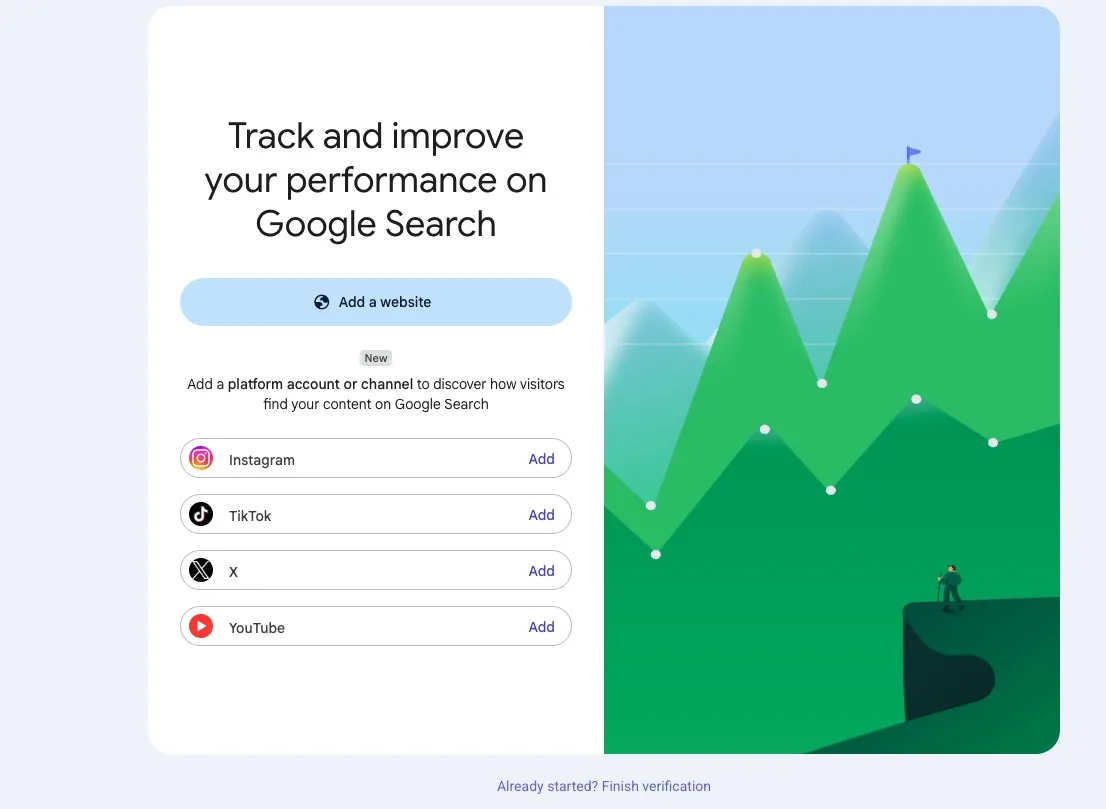
Open the property selector in Search Console, click Add property, choose Instagram, TikTok, X, or YouTube, and follow the authorization steps. For YouTube, Google shows the channels linked to your Google account and you choose the channel you want to track.
Search Engine Land confirmed the setup flow: open Search Console, go to Add property, select one of the four platforms, then authorize the secure connection. No DNS records. No HTML tag. No pretending your YouTube channel is a website.
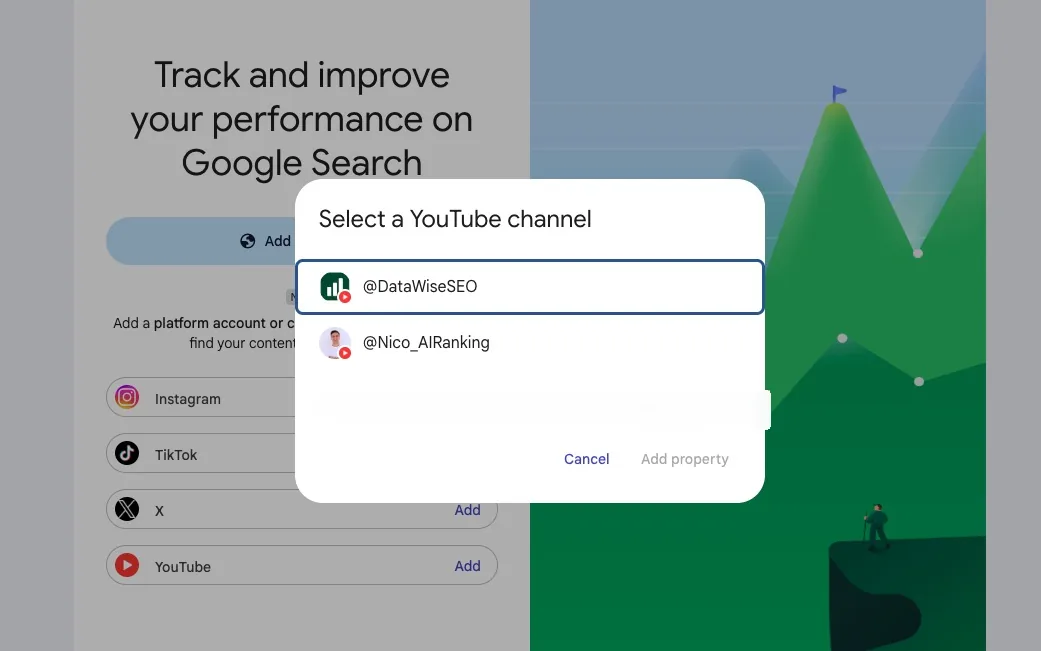
Two first-hand notes from connecting mine:
- Data is not instant. After authorization, Search Console says it needs about 24 hours before reports populate. Connect your accounts now so the data is waiting for you tomorrow.
- The rollout is gradual. Google says platform properties are appearing over the coming weeks, so if the option is missing, check again later before assuming you broke something.
What data does a platform property show?
A platform property gives you three reports: Performance, Insights, and Achievements. Together they cover clicks, impressions, top posts, search queries, discovery patterns, and countries across Google Search and Discover.
| Report | What it shows | How I would use it |
|---|---|---|
| Performance | Clicks, impressions, queries, posts, filters, sorting, and exports | Find which social posts already win in Google, then make more content around those queries |
| Insights | Recent traffic trends, top-performing content, and how people discover your account | Run a quick weekly check on whether your social content is gaining search visibility |
| Achievements | Milestones such as click thresholds over the last 28 days | Use it for progress screenshots, client updates, and simple momentum tracking |
The Performance report is the one I care about most. Query filtering means you can see the exact words someone typed into Google before finding your Instagram, TikTok, X, or YouTube content. Search Engine Journal also confirmed that platform properties cover Discover, which has historically been even harder to diagnose than normal Search.
The export function matters too. You can combine platform property exports with your website's Search Console data, then report on your entire Google footprint: website pages, YouTube videos, and social posts in one view. This is exactly the kind of dataset that should feed an SEO AI agent workflow or a weekly content review.
Why is Google adding social platforms to Search Console?
Because discovery no longer fits neatly into the old website-only SEO box. People search on Google, YouTube, TikTok, Instagram, Reddit, X, Perplexity, ChatGPT, and whatever new interface shows up next week.
Neil Patel calls this Search Everywhere Optimization: optimizing your presence across every platform where people search, not just your website. I agree with the direction, even if I still prefer plain English: if your audience searches there, your content strategy needs to care about it.
This update is not Google saying social links are suddenly a magic ranking factor. It is Google admitting that social and video content are part of the search ecosystem. If those posts were irrelevant to Google visibility, Search Console would not need dedicated reporting for them.
Does social media actually help you rank on Google?
Yes, but not in the fake SEO-guru way where posting a Reel automatically boosts every page on your domain. The real mechanism is stronger: social builds demand, entity recognition, brand searches, topical authority, and engagement before your website ever ranks.
I watched this happen inside our community this year. A member launched a brand-new website and ranked for more than 2,200 keywords with an estimated 14,500 monthly visits in its first tracked month, according to DataForSEO data. The reason was not technical magic. They already had a large YouTube following in the niche.
A normal new domain has no authority, no branded searches, no backlinks, and no user behavior signals. This site skipped the silent phase because the audience already knew the brand, searched for it, clicked it, and trusted the content. Within six months, it was competing on keywords with 110,000 monthly searches. Not long-tail scraps. Proper head terms.
That is why I tell new members to start their social accounts early, even before the website is finished. Your social audience is not just a distribution channel. It becomes a visibility asset that can support AI search visibility, AI SEO, and normal Google rankings when your site goes live.
What should you do this week?
Connect your platform properties now, then treat social content with the same keyword discipline you use for web pages. Here is the sequence I would follow:
- Connect every eligible account. Add Instagram, TikTok, X, and YouTube if you have them. It takes a couple of minutes and the data starts accumulating from now.
- Wait 24 hours, then read your queries. The search terms in the Performance report are keyword research from real users who already found you.
- Optimize captions and titles like title tags. Put the actual search phrase in your video title, caption, description, and on-screen text where it fits naturally.
- Use TikTok and YouTube search as keyword tools. Type your topic into the platform search bar and write down autocomplete suggestions. Then compare them with your AI keyword research workflow.
- Connect social activity to local SEO. For local businesses, republishing strong posts to Google Business Profile can turn one piece of work into more local surface area. Pair that with a real local SEO plan, not random posting for the sake of posting.
How this fits into AI Ranking's playbook
My playbook does not change because of this update. It gets easier to measure.
For AI Ranking members, the practical workflow is:
- Use Search Console platform properties to find which social posts already get Google impressions.
- Turn winning posts into website content, YouTube follow-ups, email topics, or community tutorials.
- Use DataWise to organize the related keywords and content opportunities.
- Build internal links from the blog post into the relevant learn hub, then back into the community funnel.
If you want help building that kind of search system, join the AI Ranking community. We focus on practical AI SEO, GEO, and content workflows for owners, freelancers and agencies, not theory for people who enjoy making 47-column spreadsheets.
FAQ
Do I need a website to use platform properties?
No. Platform properties work with just a supported social or video account. That makes Search Console useful to creators who do not own a website yet.
Which platforms are supported?
Instagram, TikTok, X, and YouTube are supported at launch. Google has not announced additional platforms yet.
Does connecting an account improve rankings?
No. Connecting a platform property is measurement, not a ranking boost. The rankings improve only if you use the query and post data to make better content decisions.
Why is my data empty after connecting?
Reports can take around 24 hours to populate, and the feature is rolling out gradually. If it has been more than a couple of days, reconnect the account and check Google's platform property help documentation.
Should agencies connect client social accounts?
Yes, if the client approves access and the platforms are part of the marketing strategy. For agencies, this becomes another reporting layer: which client videos and posts are earning Google visibility, and what content should be turned into pages, tutorials, or local assets next.